RTL-SDR / Android / Open source
See what
you hear.
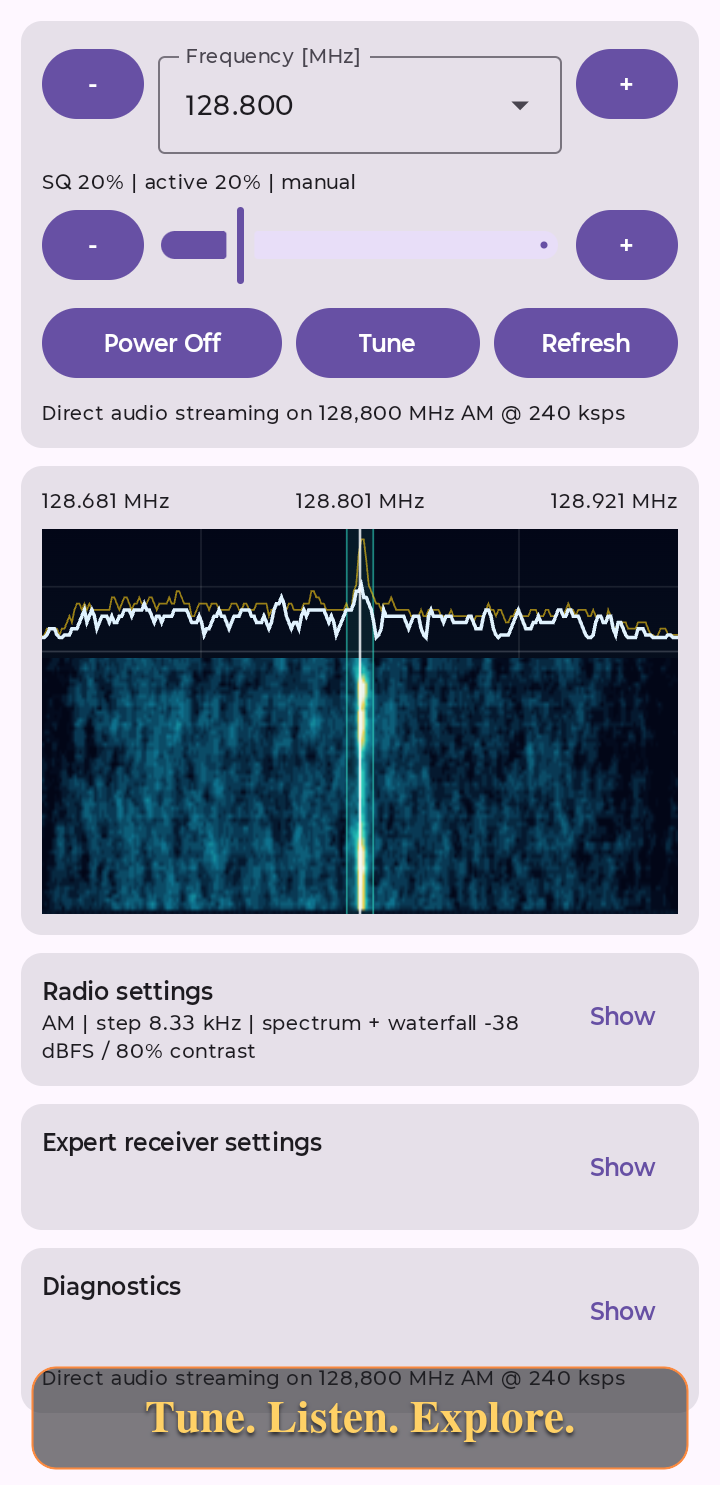
Turn a compatible USB receiver into a local listening setup. Tune, listen and explore the live spectrum, right on your phone.
Standalone receiver. No account or ads.
One local receiver
The signal, without the clutter.
Tune and listen
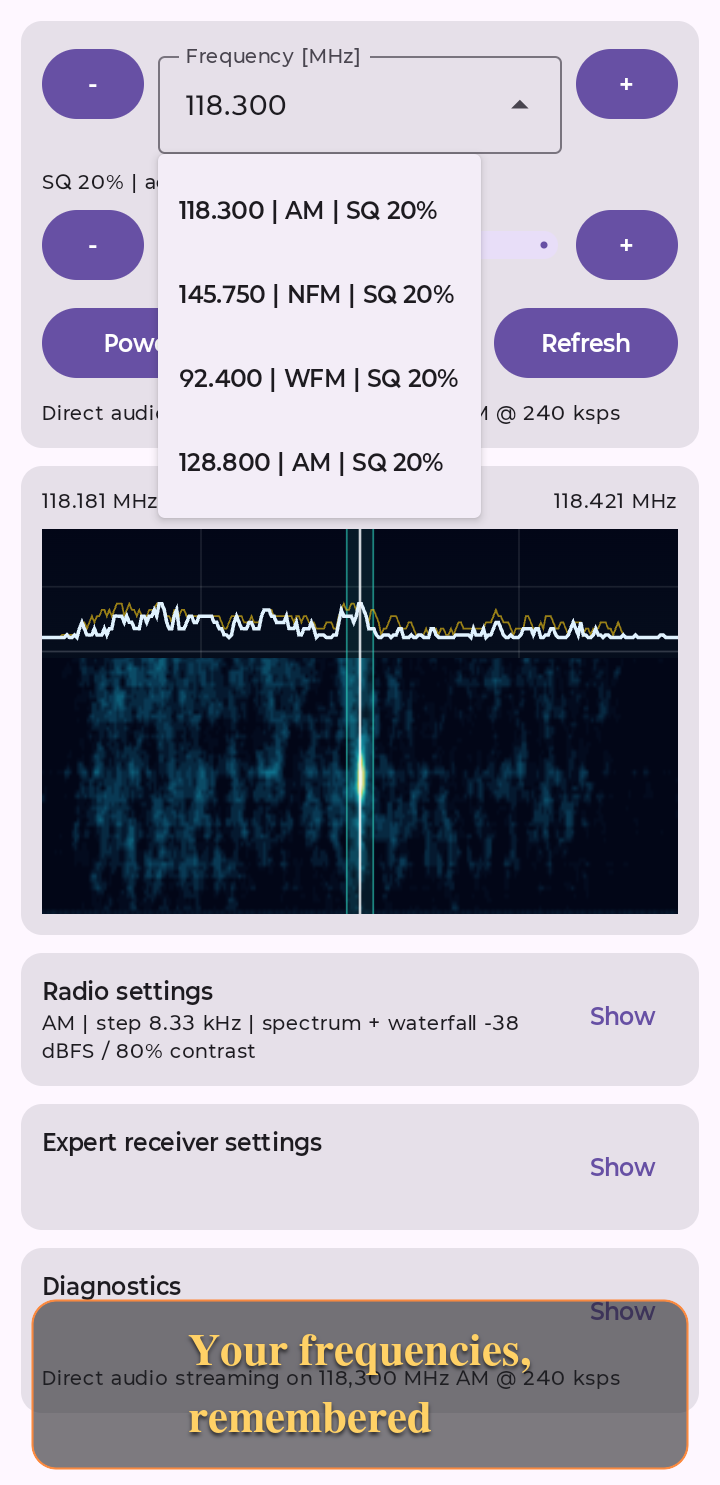
AM, AM Sync, LSB, USB, NFM and WFM modes. Enter a frequency or use tuning steps, with recent frequency, modulation and squelch history.
See the spectrum
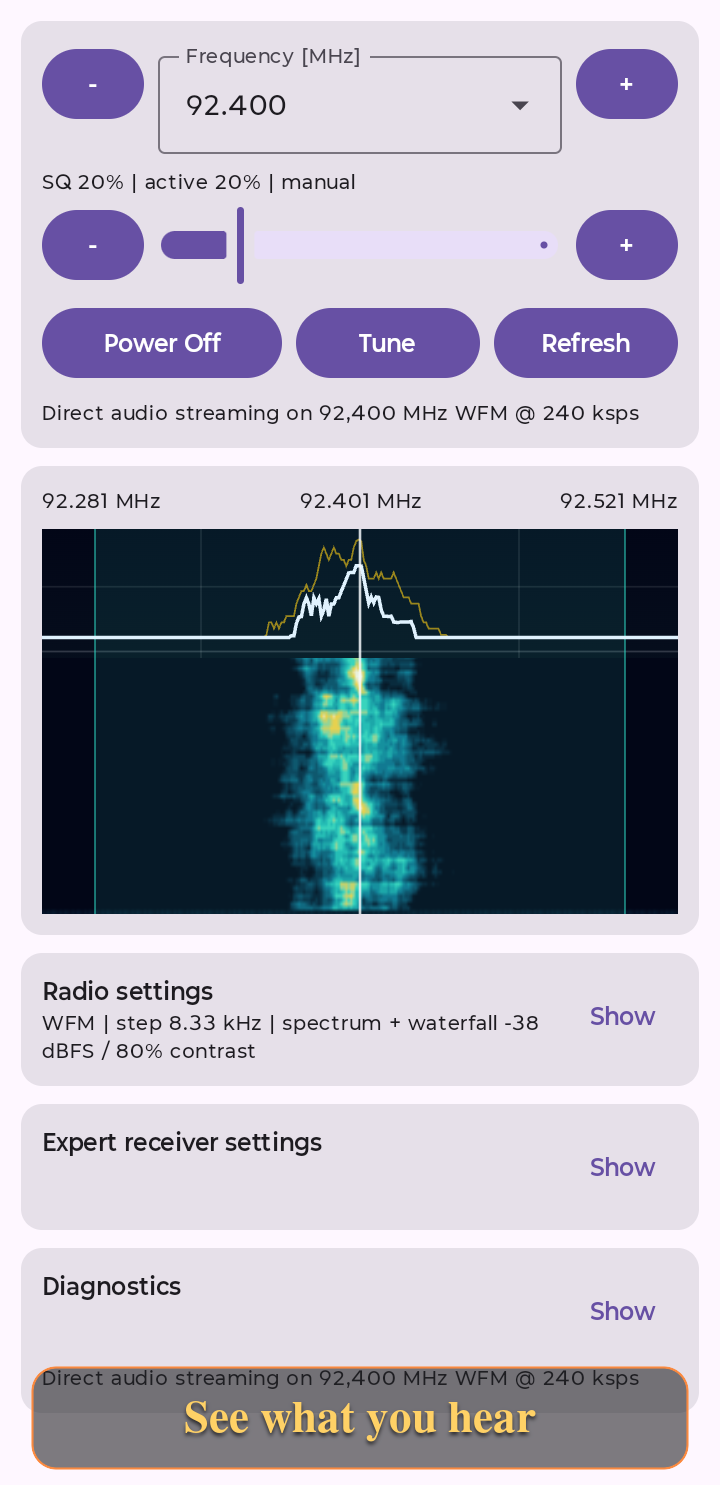
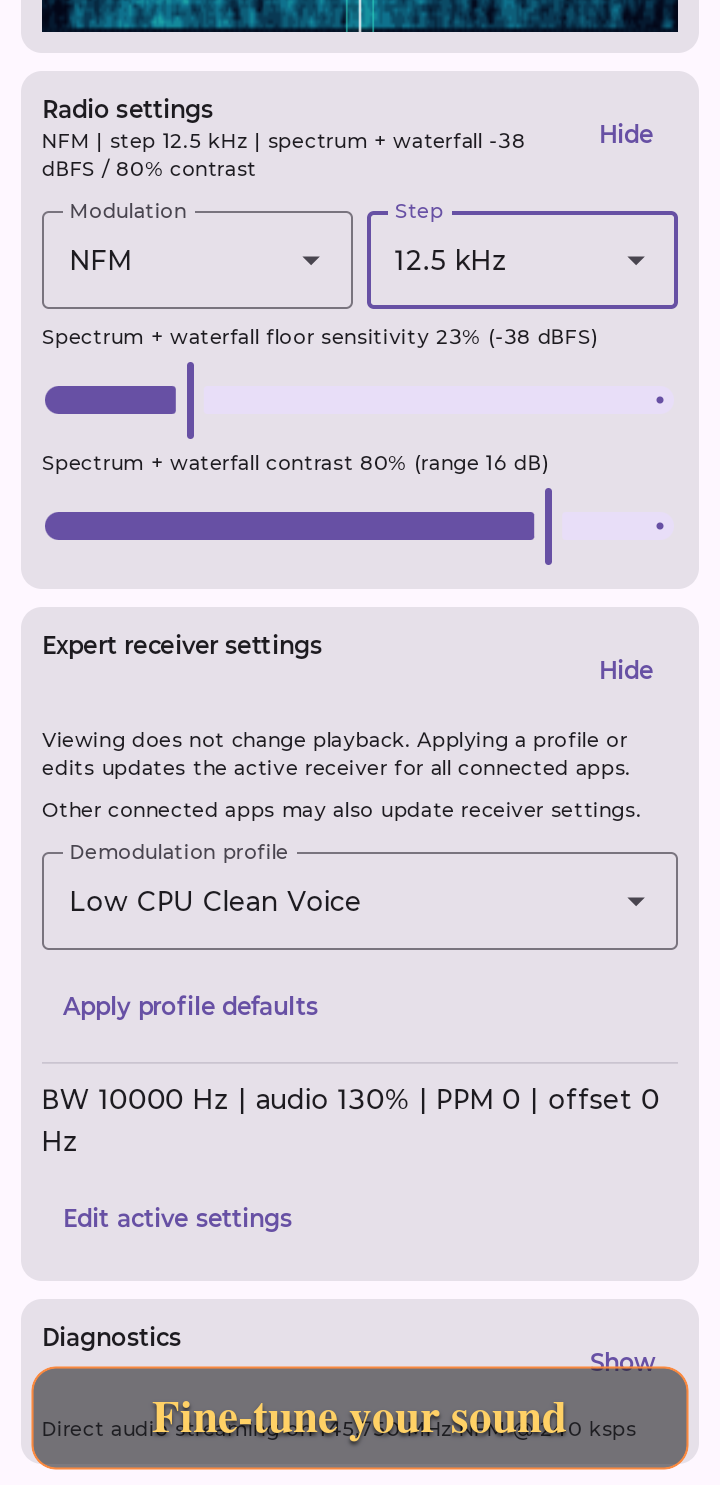
A live FFT trace above a scrolling waterfall. Adjust floor and contrast to inspect the signal, with advanced controls kept out of the way.
Keep it local
USB access, demodulation and audio playback run on the phone. Low-CPU AM profiles are available; actual load depends on the mode and device.
Keep listening with the screen locked and stop audio from the notification. Inspect receiver state and share diagnostics only when you choose.
Frequency. Spectrum. Sound.
Explore the receiver in action. Select a screenshot to view it at full size.
Plug in. Tune in.
- Connect a compatible RTL-SDR receiver and antenna with a USB OTG adapter. Your Android device must support USB host mode and supply enough power.
- Grant Android USB permission. Choose a frequency and modulation for a signal you are allowed to receive, then tune and start audio.
- Adjust squelch and display settings. Use the notification or application controls to stop audio when finished.
Requires Android 7.0 or newer. Receiver hardware and an antenna are not included. Frequency coverage depends on the receiver; choosing a modulation does not expand its tuning range. This app receives radio locally, not from an online radio directory.
Open to inspection.
Explore the Android host, receiver core, shared IPC contract and build documentation in the OpenSDR project.
The project-owned Host and receiver core are licensed under GNU GPL version 2 or later. The shared Radio API is MIT-licensed for independent open-source or proprietary clients. Third-party components retain their own licenses, including GPL-covered RTL-SDR code and LGPL-covered libusb.
See the source code and build information for reproducing a particular app version.
Before you connect.
Do I need another receiver app?
No. OpenSDR provides the receiver controls, demodulation, audio playback and spectrum display. Connect a compatible USB RTL-SDR receiver and antenna to get started.
Does this support every SDR?
No. The supported path is compatible RTL-SDR USB hardware. Do not assume support for SDRplay, HackRF or another receiver family.
Does the app use the microphone?
No. Receiver audio comes from the USB SDR, not the phone microphone. The current release plays audio locally; audio recording is not advertised as an available feature.
How do I report a receiver problem?
Open a GitHub issue with your app version, phone model, Android version, receiver model and reproduction steps. Review diagnostics before sharing: they may include tuned frequencies and USB/device identifiers. Issues are public. Read about support reports.
Listen responsibly.
OpenSDR is a general-purpose radio receiver for hobby listening and experimentation. It is not a safety-critical, navigation or operational decision-making system.
Check local laws before receiving, recording or sharing any radio communications or signals. These activities may be permitted, restricted or prohibited depending on your location, the radio service and your authorization. The ability to receive a signal does not imply legal permission to listen to, record or share it.